Category: TECH NEWS

Posts about technology news

  • Top 7 Search Engines in The World to Know Web Perfectly

    Top 7 Search Engines in The World to Know Web Perfectly

    When talking about web queries related to our daily routine or some specific task, luckily, we have top search engines. Just go to any search engine, put some keywords, and get your desired information in the form of audio, video, text, and even images across the globe in a few seconds.

    It seems easy, but it may cost a lot for a search engine to crawl hundreds and even thousands of web pages to display the desired results on our screen. Every day, hundreds of web pages are added, and it is the search engine crawlers and bots that scan every web page and gather the required search results.

    You might think that Google is the only search engine due to its popularity and use, but you will be surprised by other lesser-known search engines also. Being a normal search user, Google is enough, but when talking about webmasters and bloggers, they may need to check the search rankings of their pages and the competitors in other search engines, too.

    So it is necessary to know the search status of your pages at other search engine results, also because millions of queries are being made from search engines other than Google and Microsoft Bing.

    top search engines of the world

    To fulfill the requirement, I have compiled some of the important search engines and their search data for better search results and to check search engine rankings.

    Most Wanted Top Search Engines in The World:

    Here is the detail of the top search engines to know the web perfectly. All the best Search Engines are listed as per global rank, popularity, search engine data, domain authority, and market share.

    Although the search share may change as per traffic search and market trends, the search engines can be listed as top trends. 

    Below is the Search Engine Market Share of the listed search engines.
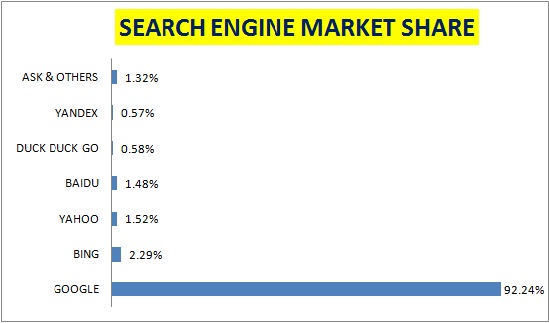
    search engine market share april 2021

    The criteria of all listed search engines are nearly similar; the difference is in their search data, rankings, search accuracy, and variety of results.

    1-Google:

    Being the most popular and trusted search engine for marketers, publishers, and normal users, it has covered more than 92.24% of search traffic worldwide and is increasing.

    The best thing about Google is its search accuracy and search results. Its bots and crawlers are continuously scanning web pages to get better and more relevant results. Since more and more web pages are added in blinks of time, to get more accurate results in less time, many data centers are located in famous countries around the world.

    So much share in digital marketing is, of course, due to its popularity and trust flow of internet marketers, publishers, and normal users. It may be hard for any other popular search engine to compete with it at its level.

    Required topic search on Google is easy, just put some keywords and get your accurate results in the form of text, images, audio, and even videos from other famous sharing sites. Besides general queries, you can also limit your search to exact match keywords, country-wise, or even for a specific language.

    Due to its vast search data and reliable results, many other social search engines like Instagram, Facebook, and YouTube may also get help to get the required results.

    Being the most reliable source of traffic, every publisher wants to be ranked on the first page, so its advertisement budget is also a little bit higher than other listed search engines.

    Its Alexa Rank is, of course, No.1 worldwide, with a domain authority is 94.

    2-Microsoft Bing:

    Bing, also named Microsoft Bing in October 2020, is the world’s largest search engine due to search volume and popularity. It has covered about 2.29% market share across the globe. By following the top rankings of Google, Bing is trying hard to get close to the search rankings and market shares of Google, but still has not gotten much.

    With the development of Microsoft Windows, it was the default search page of their browser most of the time, but still, it needs more effort, and of course, the satisfaction of its clients and users to get a share of the digital marketing from its No. 1 competitor.

    It has Alexa traffic Rankings of 33 worldwide, with a domain authority is 93.

    3-Yahoo:

    So Yahoo, the most popular search engine listed in the third position, has a market share of about 1.52% worldwide. Yahoo was assumed to be a partner search engine and initially listed search queries from Bing, then later Bing and Google combined. Now, from October 2019, it shows search queries based on Bing. So we can say that the influence of top search providers was always there at Yahoo.

    It is also popular now and has an Alexa Traffic Rank of No.11 worldwide, with a domain authority is 90.

    4-Baidu:

    Baidu is a Chinese-based search engine and, of course, popular in the most populated country in the world. Although it is Chinese language-based, its queries are equally reliable among other competitors as well as other countries of the world. It has a market share of about 1.48% worldwide, which is a little less than Yahoo. According to Wikipedia and other search sources, it has billions of monthly queries and is increasing rapidly.

    Alexa Rankings of Baidu is No.4, with a domain authority is 75.

    5-DuckDuck Go:

    The lesser-known DuckDuckGo has the 5th position by getting a market share of 0.58% worldwide. Although its share is very small still it is still getting millions of search queries daily worldwide. Moreover, their search data is mostly from top rankings of popular search engines like Google, Bing, Yahoo, etc. So it can be a platform for reliable information.

    Its Alexa ranking is No.160 worldwide, with a domain authority is 89.

    6-Yandex:

    Yandex is a multi-language search engine and is popular in Russia with almost 65% market share. It has a global market share of 0.57%, which is almost the same as DuckDuckGo. Along with Russia, it is also quite popular in Ukraine, Belarus, Kazakhstan, Uzbekistan, and Turkey.

    Yandex has an Alexa ranking of No.996 worldwide, with a domain authority is 90.

    7-Ask & Other Search Engines:

    So finally, there is a list of many search engines that are getting only 1.32% of market share worldwide collectively.

    Since by name, ask is a question-and-answer-based famous search engine, its results are mainly from Google and other top-listed popular search engines. Still, it is getting about 0.42% of the market share with a domain authority of 89 due to results from Google.

    Last but not least:

    Many search sources need to be described or listed here, but they have less share or reader interest. So, stay tuned to the above elaborated top search engines and get the search at the peak for a better and more reliable source of information and search results.


  • Best Ways to Watch Blocked YouTube Videos Online

    Best Ways to Watch Blocked YouTube Videos Online

    YouTube is no doubt one of the largest and best hubs of video portals across the globe. You are not only able to watch your favorite movies, dramas, and TV shows but can also enjoy their live streaming for many events and news channels, as well as worldwide. Being part of such an online video library, you cannot assume that any YouTube video streaming service is available to you, so you need not worry, because here is the solution with the best and free ways to access blocked YouTube videos online, even in your region or country.

    Must Read:

    Why can you not access any YouTube Video in a Specific Country or Region:

    There may be two reasons that a YouTube video is blocked in your Country or Region:

    • Licensing: This may happen when a YouTube restriction checker is applied to some typical video by a specific country and is not allowed, or the video is copyrighted by a person or company and is not allowed to be accessed by others. Many music videos are under license and are prohibited in some countries of the world.
    • Local Law Constraints: Not every video is allowed to be accessed and shared, especially when it violates the local laws in countries like Thailand. Also, if some video has religious material that may not be accepted by some communities or regions, local laws or the government may ban the video.

    How to Watch Blocked YouTube videos anywhere online for free:

    watch blocked youtube videos online

    So you may have experienced the issue of ” Video unavailable- The uploader has not made this video available in your country” or “This video is unavailable” or with similar wording. Then, the following methods will be purely for you.

    1-VPN:

    VPN (Virtual Private Network) is the most reliable and secure way to watch videos that are not accessible. Since a computer is registered by its IP address while accessing the internet so this service will change your browser’s IP address and let you go online from a different country or region rather than your actual one. You can either use a paid version or use a free browser-based VPN to watch these forbidden videos online for free.

    Simply install a reliable VPN and start using its secure web traffic. So now you will be no further away from YouTube videos.

    2-Use Proxy or Web Proxy Server:

    Another source to watch blocked videos is a Proxy or Web Proxy. Especially, in a country where it was blocked by either the content owner or the YouTube authority itself, the Proxy server is the best solution. The Proxy will hide your original IP address, and only country-specific IP addresses will be used to access YouTube videos. So if you want to enjoy your favorite shows, then a Proxy or Web Proxy server is the best and most reliable source to continue watching YouTube videos online.

    3-Download Blocked YouTube Videos:

    If you cannot access YouTube videos, then here is another method to watch these videos. There are a lot of reliable websites to download and watch YouTube videos later. Just copy and paste the link of the video on your favorite video downloading websites and let the downloader download these blocked videos on your computer online for free.

    So, above are the reliable and best ways to access blocked YouTube videos. Do comment with your feedback.

  • How to Setup a Wireless Network Security Key in Windows

    How to Setup a Wireless Network Security Key in Windows

    While connecting to a wireless network, it is necessary to ensure its security, especially when you are in the office or in any public place.  Because insecure wireless connectivity may lead hackers to gain unethical access to the router IP address, and alternatively, your personal info and data may not be safe.

    When it comes to setting up a wireless network security key for your own router, it must be your top priority to ensure its security from all aspects. You have to set up a key that may not be easy for everyone to guess and apply.

    There are different levels of security, and several types of password combinations to secure your network. So give brief research and avoid using common password combinations like:

    • Date of birth, person or famous place name, or some common alphanumeric combinations, email addresses, first name, last name, etc.

    The password or key phrase must be unique to ensure its use for you as well as your friends and family.

    setup wireless network security key in windows

    Don’t miss to find a Printer IP address. 

    How to find the Security Key for your wireless Network:

    So, before setting up a security key to secure networks, let’s first know where to find the network security key for your network:

    • Right-click on the Start Menu.
    • Click on the Network Connections and then click on Network and Sharing Center.
    • Click on the name of your required Wi-Fi network.
    • Click on the Wireless Properties button.
    • Go to the Security tab.
    • Check the “Show Characters” box to reveal your wifi network key.

    How to Set Up a Wireless Network Security Key for Your Computer:

    A wireless network security key is the password you need to access while connecting to a network. So, before setting up, let’s proceed to the types of security encryption that are being used.

    There are three types of network security encryption commonly used:

    • WEP (Wired Equivalent Privacy)-it was the first most basic security and assumed as the weakest, so now discarded.
    • WPA (Wi-Fi Protected Access),- It uses the message integrity check and has become common now.
    • WPA2 (Wi-Fi Protected Access with advanced levels of security)– It is the most advanced security feature that has become a standard for wireless networks.

    There are two ways to set up the security key for your wireless network. you can do it through your router. When you go to set up it, it will guide to stepwise to encrypt and secure your network.

    The second method is to create a network key manually. We will learn to create a network security key for windows 7.

    So follow the steps below:

    • Click Start Menu > Open Control Panel and go for the Network and Internet header.
    • Under Network and Sharing Center, click View network status and tasks.  This will open your current network.
    • Go for the Set up a new connection or network option to create any number of network connections you want.
    • On the next screen click Set up a new Network. On the next screen, choose your router and wait for about 90 seconds for the computer to set up a wireless network.
    • You will be prompted to enter your PIN number, which can be found on the backside of your router.
    • Once your Router is accepted, you can change the settings and finish setting it up.
    • On the screen, you can change your network name and select the best security encryption and passwords.

    In most cases, Windows 7 automatically generates the best security options like password and security level for your wireless network. However, you can choose it as you desire.

    In this way, you can secure your connections by setting up a wireless network security key.

    Do comment with your feedback.

  • How to Activate Starz on Roku, Apple TV and Xbox?

    How to Activate Starz on Roku, Apple TV and Xbox?

    Want to activate Starz to enjoy your famous TV Programs and streaming services on favorite devices like Roku, Apple TV, Xbox as well as other smartphones, then you are at the right place.

    No doubt, Starz services have become equally popular in the US and worldwide., you can access Starz streaming services on almost every kind of device.

    Learn to activate Starz on Roku, Apple TV, and Xbox to enjoy Live Streaming:

    In order to activate Starz, you first need its premium subscription or can avail of its 7 days free trial period by visiting the official website of Starz.

    So follow the initial steps to get its subscription:

    1. Visit Starz’s official website.
    2. Choose “Start your Free Trial” for 7 days
    3. Complete the signup process by providing the required info.
    4. Choose devices on which you want to activate Starz. (you can choose a maximum of 4 devices for activation at a time)

    After completing all processing, it is time to activate Starz streaming services on Roku, Apple TV, Xbox, and other devices one by one.

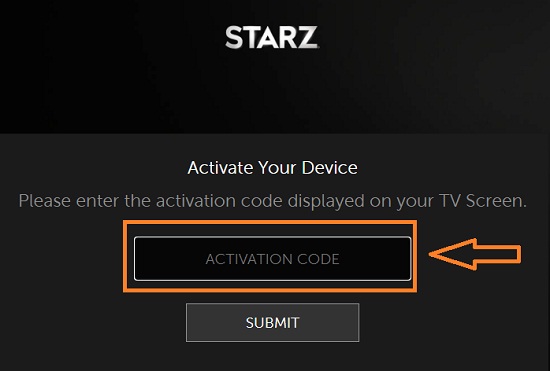
    activate your device for starz

    1-How to Add Starz to Roku:

    Adding Starz to Roku is the same process as adding channel any channel

    1. Sign in to your Roku account if you need it.
    2. Select Home and Streaming Channels options.
    3. Search for the Starz channel.
    4. Choose ok and add Channel.
    5. Enter your PIN if you use one to confirm.
    6. Then open the Starz channel from your channel’s lineup.
    7. Log in using your Starz login details.
    8. Navigate to Starz using any device.
    9. Enter the code on the screen into the box on the web page.
    10. Then Choose to Submit to register the device.

    The Roku channel also offers a subscription to Starz as part of the deal. So rather than paying for it separately, you can subscribe to Starz through Roku. It will stop you from being able to watch it from other devices.

    2-How to Add Starz to Apple TV:

    In order to play Starz on Apple TV, you will need the Starz Play app for this. Follow similar steps to Roku by signing in and using the code for its activation.

    1. Navigate to the App Store on your Appl TV device.
    2. Search and install the Starz Play app.
    3. Select the app from the home screen and log in using your Starz account details.
    4. Navigate to Starz using any device.
    5. Enter the code on the screen into the box on the web page and choose to submit to register the device.

    Once you enter the code, your Apple TV will be registered and will show all the movies and favorite tv shows at the scheduled time.

    3-How to Add Starz to Xbox:

    Again you will need the Starz Play app to add Starz to your Xbox device. The Starz Play app is fully compatible with Xbox 360 and Xbox One and available free to download from the app store.

    So follow the steps:

    1. Start your Xbox device and Sign in.
    2. Choose the app store and navigate to apps.
    3. Find Straz Play and install it.
    4. Confirm installation when it prompts.
    5. Select Starz and log in using the Starz Play account.
    6. Navigate to Starz using any device.
    7. Enter the code on the screen into the box on the web page and choose to submit to register the device.

    Once you signed in and registered, your Xbox will show all movies and TV shows listing to enjoy them at the scheduled time.

    So above are the ways to activate Starz on your favorite devices around the globe. If any country did not allow Starz streaming, then you can use a reliable VPN to access the Starz program around the clock.

  • Best Websites to Watch Anime Online for Free

    Best Websites to Watch Anime Online for Free

    Watching movies online or on TV, you might hear about anime. Animes are a collection of various animated cartoon movies, dramas, and TV shows to watch online and even options to download. It was first started in Japan and later became popular all over the world, especially among children.

    The great about these anime is to have animated cartoon movies in thriller, mystery, romance, horror, and many other categories to watch and enjoy favorite anime.

    Although it is usually available in the Japanese language, it might become hard to understand the language for everyone.

    But now it has become easy. Because there are several websites that offered to watch anime online in other languages also.

    watch anime online free

    It means if you want to enjoy it in English, then you can find many sites to provide an English-dubbed anime cartoon collection.

    Collection of the Best Websites to Watch Anime Online for Free:

    So if you are looking for the best streaming website to watch anime online for free or at nominal charges, including the collection of free English dubbed anime of every category. So here are the best ones for you.

    1-Crunchyroll:

    Crunchyroll is one of the best legal sites to watch anime online. Although it is paid with attractive packages to access famous anime series, it is still updated and accessible in most countries across the globe.

    2-My anime List:

    My anime list is another free anime streaming website to enjoy anime without ads. Due to its attractive interface, lovers can find their favorite anime arranged by ranking, popularity, category, and top trend-wise. Along with a lot of anime content and the latest anime news, the user can also share views, and discuss their favorite anime among other community members.

    3-Funimation:

    The name of the best quality and affordable anime streaming is no other than Funimation. A variety of content is available for the major countries of the world, including the USA, UK, Australia, along other European nations. The rest of the world can also enjoy the latest anime by using VPN and other online resources to watch blocked websites. Although it has great features with its paid membership, it still has a lot of content freely available.

    4-Kissanime:

    With a high number of fans and subscribers, Kissanime has got high-rated popularity among anime lovers. With updated and latest anime series, you can even download them as well as their live streaming.

    5-9anime:

    9anime is one of the famous anime streaming sites with full HD cartoon series, with few ads and frequent updates. If you are an old Japanese cartoon lover, then you must have come across such anime websites.

    You cannot only watch the latest episodes but can also search them by rate, genre, type, score, or even comments.

    6-AnimeDao:

    AnimeDao is a USA-based best anime website with video quality, low bandwidth usage, availability of a variety of content, and reliability. It offers all the latest and old anime series, and dramas in English as well as dubbed in other languages, which have made it equally popular in the USA as well as other countries of the world.

    7-Chia-Anime:

    Chia Anime is a popular anime site to watch the most recent and all-time favorite anime in high-quality videos easily for worldwide users. With its user-friendly interface, one can easily browse one’s favorite anime with its well-arranged categories. The websites provide high-resolution anime with soundtracks and titles that have made them unique from other anime websites.

    8-Animelab:

    Animelab is famous to watch anime online due to its fast availability of the latest episodes right after its broadcasting in Japan. The anime is categorized to access and watch easily. The best thing is its usability on the go on favorite platforms like android, and iOS as well as on TV and Play Station Store.

    Animelab also has a premium version to enjoy ad-free anime.

    9-Anime Planet:

    Anime Planet is famous for its online anime video, and manga titles. The interface is enriched with popular anime and manga on weekly basis.

    The thing that made the site equally popular is the sharing of anime lovers’ views and thoughts with others by building a community. Moreover, one can build one’s anime list to arrange favorite episodes to watch later and share with other community members.

    10-AnimeFreak:

    AnimeFreak is another anime site that brings free high-quality anime streaming with titles worldwide. The site has an attractive layout for anime users to browse through the latest anime collection along with upcoming anime and mangas. It has more to say in a closed community among other users about ongoing anime series and mangas.

    Other Free Anime Websites to Watch Anime Online:

    Besides the above, there is more to add to the list of the best anime and manga websites.

    • Gogoanime
    • TubiTV
    • SoulAnime
    • Hulu
    • Netflix
    • VIZ
    • YouTube
    • Amazon Anime
    • Hi Dive
    • Crackle
    • Viewstar
    • AnimeHeaven

    Hope so, there may be more to say about anime. Do comments with your feedback and share other sites to watch anime online.

  • 15 Best Safe ROM Download Sites for Computer Games

    15 Best Safe ROM Download Sites for Computer Games

    Looking for the best and safest ROM sites for games, then you are in the right place to download the latest and trusted computer ROMS for games.

    Surely, you have the latest technology phone gadgets in your hand and might be fond of online games in your leisure time. And if you have enjoyed playing games in your childhood or early days, some by connecting cassettes or others to your TV set, then you might be curious why not now…?

    Yes, you can, and you need not search for such old cassettes or other accessories, but all can be done by using Emulators and ROMs to play games in this era.

    When talking about the best sites to get ROMs or secure places for downloading Emulators and ROMs, there might be some sites that have a collection of ROMs and Emulators, or some of them have a lot of pop-up advertisements, or some might not be secure to download any ROM or Emulator.

    To avoid all these stressful situations, I have compiled the best and safest places to get ROMs and Emulators for android, iOS, and desktop.

    best safe ROM Sites

    15 Best and Safe ROM Sites to Download ROMs:

    So let’s take a quick overview of these safe ROM sites.

    1-Gamulator:

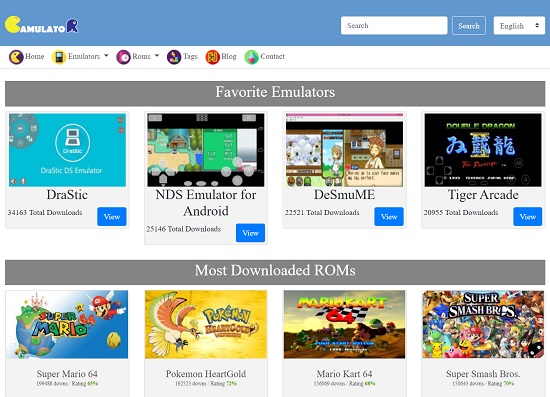
    Gamulator ROM Downloading site

    Gamulator is one of the best emulators and a Safe ROM downloading website. With its almost daily updates, one can find various ROMs for every single console that was once launched. It has nearly every kind of your favorite game ROM and its emulator to download and play the game.

    The structure of the website is well managed, and you can browse the ROMs and Emulators both category-wise and by tags.

    So don’t hesitate to get the best ROMs and Emulators for your PC, smartphone, and even tablet to experience new generations’ games from this ad-free, safe site.

    2-Rom Hustler: (a safe ROM Site)

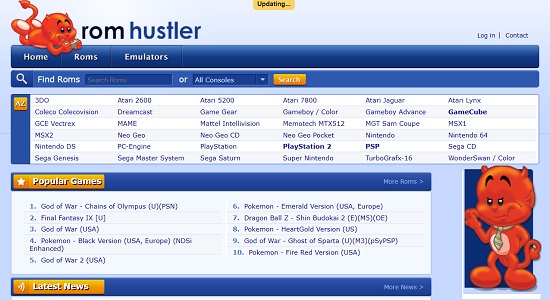
    RomHustler- safe ROM site

    ROM Hustler is another great online source to download ROMs and emulators of nearly every kind. You can browse and find your favorite ROM and Emulator categorized alphabetically. All the ROMs and emulators available on this site are mostly based on customer votes and ratings, so you need not worry about the stuff that you are getting.

    Being one of the oldest and best sites to download ROM, one should visit to download the ROM and emulator of one’s choice from the desktop as well as a smartphone.

    3-Retrostic:

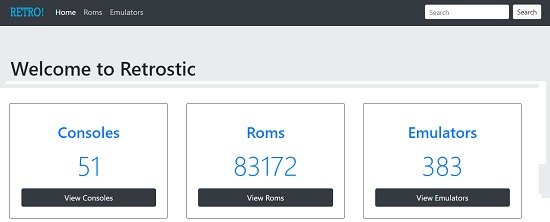
    best safe rom download sites - Retrostic

    If you want to enjoy the games of your teenage years or from the oldest console, then there is a well-known name, Retrostic. You can find all classic and old games to download without any issues with viruses or malware-infected files.

    It has more than 80,000 ROMs of every kind, along with a variety of emulators and consoles.

    Just navigate to your favorite console, select the game you want to play, and download from these safe ROM sites.

    4-DopeROMs:

    DopeROMS - best rom site

    Looking for the best site to download ROM for Android as well as PC, then DopeROMs should be your preferred choice. It is known as an interactive site to play your favorite games without any hassle. Along with that, you can have the choice to play backups on your computers as well as on smartphones.

    Its official website has one of the best structures to browse your favorite ROMs, Emulators, Game covers, and box arts for Android, iOS, and desktop.

    So why wait? Just go to this online safe ROM site.

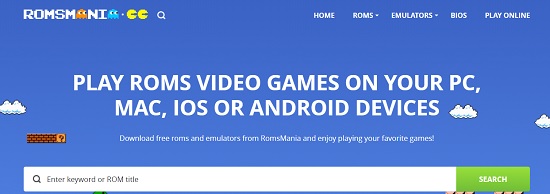
    5-ROMsmania:

    ROMSmania - best safe roms download sites

    ROMsmania is a trusted name to download ROMs, and emulators of nearly every kind are equally popular among other safe ROM sites. You can use its search feature to find your desired ROMs and emulators.

    Talking about its structure, this trusted free ROM site has thousands of ROMs to download in many locations around the world, which means you need not use any proxy site or VPN to access the safe ROMs.

    So why wait? Just visit the site.

    6-CoolROM:

    CoolROMS - best platform for downloading roms

    By name, CoolROM is a place where a user can search and find thousands of free ROMs and the latest emulators for their desktop, Android, and even iOS devices.

    With regular updates and user-friendly interfaces, it is claimed to be the largest retro game source on the internet. In order to have a quick overview, nearly every game has a screenshot so that a user can have easy access to this online and safe ROM site.

    Although it is just like a forum rather it is the best safe place to download ROMs, so just navigate to one of the largest gaming consoles.

    7-: The Eye:

    best safe rom site-TheEye

    With a simple and secure navigation interface, this ROM website hosts many consoles around the globe. This site actually archives content, so one can find the games and emulators that might not be found on any other site like this. It also has a backup feature, so one can find different documents for different types of ROMs.

    So, just visit the Eye and take a look at its simple layout as compared to other safe ROM sites.

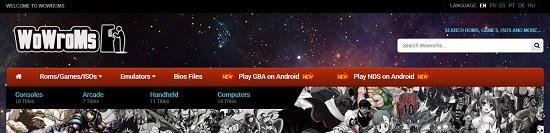
    8-:WoWroms:

    WoWROMs - best roms and emulators site

    WoWroms is a place with a simple layout and is used to download ROMs and emulators for every device. The main primary purpose of this ROM site is to preserve games and other consoles, especially for old computers, so that one can experience the games on old computers like DOS, Acron and etc.

    So, just visit the website to have full control over ROMs online as well as offline.

    9-Vimm’s Lair:

    Vimms Lair - best site for roms and emulators

    Like Retrostic and WoWroms, Vimm’s Lair also has classic ROMs and emulators of nearly every kind. Serving the nations for nearly two decades, this secure ROM website has become popular for downloading old games and other consoles.

    So just visit this search console or sort it in alphabetical order to get the required ROM for Android, MAC, Windows, and even Linux, also without any hustle.

    10-Emuparadise:

    Emuparadise ROM Site

    By visiting Emuparadise, you can download your favorite game console from a variety of content available on this site. Like Vimm’s Lair, it also has a library of classic as well as new ROMs and emulators to download. You can also play a game online directly on this site.

    So, being a secure source, it has been considered one of the most visited secure ROM sites on the internet.

    11-Emulator Zone:

    Emulator Zone

    Just as the name suggests, the Emulator Zone search console is not only famous for Emulators, but you can also download a variety of ROMs available on this site.

    With its simple layout, the user can find their famous ROMs categorized under the brand name and even device-wise. Provided by its forum to discuss the issue related to ROMs and for the news regarding the upcoming game consoles.

    12-Classic Game ROMs:

    Classic Game ROMs

    With a simple and user-friendly interface, Classic GameROMs provides access to many ROMs and emulators to play games. With its ad-free, secure layout, the user can find and download ROMs for famous brands like SEGA, Atari, Sony, and Nintendo, along with others.

    The best thing about this site is its compatibility with the Google Drive links for easy downloading.

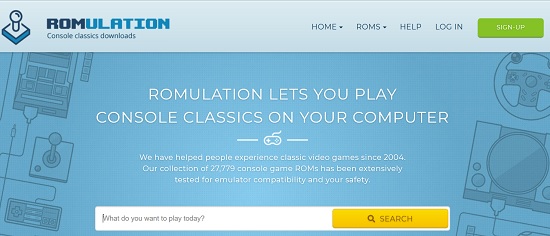
    13-RomUlation:

    best platform for downloading roms-ROMulation

    Romulation is yet another trusted site to download ROMs and emulators of nearly every kind. It has a simple interface that allows the user to navigate through this website.

    Although you need to create an account to download the content. Upon signing up, it also gives you 10,000 points to use for downloading ROMs and other consoles. For every 100MB of ROM download, it will cost 100 points; this feature is perhaps to reduce consecutive downloads. However, you can earn more points by uploading a new game or being a pro user.

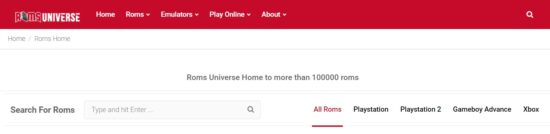
    14-RomsUniverse:

    ROMs Universe - safe place to download ROMs

    RomsUniverse is the site to download ROMs. Although it is a new site, the user can download more than 100k games available online; however, it is limited to small games only.

    The best thing is that the site is free from unwanted ads and pop-up notifications to give hustle hassle-free experience to download the ROMs and emulators.

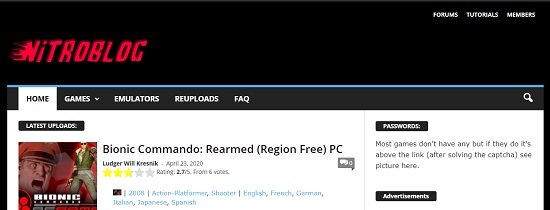
    15-Nitro blog:

    NitroBlog - safe rom site for android

    Nitro blog is a site that provides download links to your favorite ROMs and emulators. Unlike other safe ROM sites, it does not host any ROM or emulator; rather than one can download ROMs and emulators by providing third-party links to other sites like Mega and Media Fire.

    Updated regularly, this site has user ratings and voting for every game and emulator.

    Other Best and Safe ROM Downloading Websites:

    Along with the above elaboration, there is more to share for the sake of the interest of the readers, just Google to get more about these ROM downloading sites.

    • Romsdownload.net
    • Old computer ROMs
    • Roms mode
    • CDRomance
    • ROMs World
    • More ROMs
    • ROMs43
    • The NES Files
    • Emulanium
    • SonyISOs
    • FREE ROMS

    Wrapping Up:

    So you have gone through some of the best and safest ROM sites to get classics and the latest game consoles.

    So the questions asked by someone that:

    • What is the best ROM downloading site?
    • Where is a safe place to download ROM?
    • Good Sites to get ROMs

    or even

    • Is it safe to download a ROM?

    and others, as asked above, might be well elaborated from the above contents of the article.

    There might be more sites to share, so leave comments with your feedback about the topic and share your experience.

    <image credits to all sites linked and elaborated above>

  • 6 Best Google Docs Alternatives

    6 Best Google Docs Alternatives

    Google Docs is no doubt a perfect online source to store, share and edit documents online and on the go. Most internet users have become part of this online utility to work individually and in a groups. Although Google Docs has wrapped up with all necessary features and it has become a reliable and feature-rich document editing and management app. still, there are some people that are looking for Google Docs Alternatives with similar features and services.


    best Google Docs Alternatives

    The best part of these alternative online tools is their use just similar to Google Docs for single and multiple users.

    6 Best online Google Docs Alternatives-Free and Paid:

    If you are looking for some of the best Google Docs alternatives, then you need not roam anymore, but just pick from the list below.

    • Microsoft Office Online
    • Only Office
    • Quip
    • Cryptpad
    • Zoho Docs
    • Dropbox Paper

    So Let’s go through each of the above one by one to see the difference in features.

    1-Microsoft Office Online:

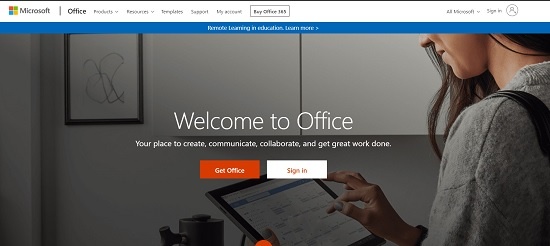
    If looking for a secure alternative to Google Docs, then Microsoft Office online should be your first choice.

    Enriched with all similar features to Google Docs, it has become quite popular among web-based users. The online service contained web-based versions of Word, Excel, and PowerPoint along with “One Note” as a text editor.

    microsoft office online google docs

    A user can add, and edit the documents in Word, Excel, PowerPoint as well as text editor online just as similar to its Desktop-based version in offline mode. It means you have all your important documents with full formatting and Excel formulas on the go to view and modify any day at any time.

    However, the user needs to save files in the OneDrive account to synchronize it with Microsoft office online.

    2-Only Office:

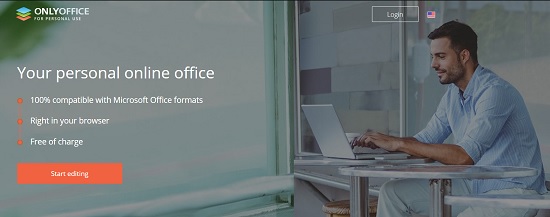
    Only Office has provided the 30-day trial period to access its premium online office suit. Here you will find nearly every feature that Google Docs offers. With the Only Office suite, a user can create and modify Word documents, and create spreadsheets and PowerPoint slides online with full features and advanced tools.

    only office google docs

    However, the only office user needs to connect their DropBox, OnDrive, and Google Drive accounts to the Only Office to take advantage of these Google Docs alternatives.

    3-Quip:

    If you want a simple interface to play with text files enriched with images, then Quip should be on your list. With a simple and attractive interface, a user can upload, view, and modify the documents online for article writing and office-based work for sale & purchase.

    Quip docs chat spread sheet

    Although it has not have all features like Google Docs, however, it has some advanced features for all documents synced across Quip and comes with a chat option. The chat feature makes it easy to discuss the documents with the individual and the group. Also, you can trace the changes in the file while editing.

    4-CryptPad:

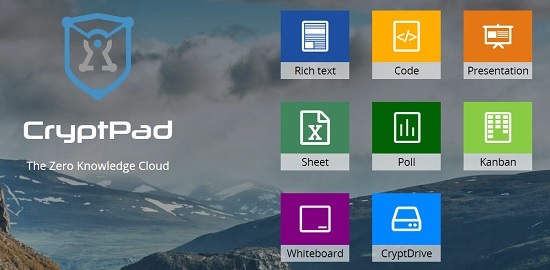
    Cryptpad is an online tool to share and edit documents online. Along with text formatting with enriched tools, users can share Trello-style whiteboards, polls, to-do lists, and even a code compiler window.

    cryptpad alternative to google docs

    The thing that preferred it over Google Docs is that you need not create an online account to create documents, however for sharing you may need an account to control the user access to your documents.

    5-Zoho Docs:

    Zoho Docs is an Indian-based company that is offering Office suit to add, edit and share documents online. Unlike Google Docs, its user interface is clear and familiar due to its resemblance to Microsoft Office.

    zoho docs online file management software

    The users can upload office files and even edit PDF files both online and offline mode. The uploaded files can be accessed from the Dropbox account online. The mobile app is also there to access the files from mobile equally compatible with android and ios users.

    With all the unique features and user-friendly interface, it can be a Google Docs alternative.

    6-Dropbox Paper:

    If you want to enjoy nearly all text features of Google Docs online, then Dropbox paper should be your choice.

    Dropbox Paper docs

    The user can create and edit documents online that can be stored in Dropbox, which can be shared with other users online. A user can also access the documents through their mobile app.

    Although it offers only word-based or text-based documents and no Excel or Spreadsheet, still it can be widely used online.

    Currently, it is only available to Dropbox users, however, there might be a chance to be fully compatible with others.

    Other online tools alternatives to Google Docs:

    Besides the above elaborated Google Docs alternatives, here is the list of other tools that can be used equally use for text editing online.

    • Collabora
    • Graphite Docs
    • Coda
    • Bit.Al
    • Ether Pad
    • Nuclino

    So above elaborated tools can equally be used as Google Docs alternatives.

    Do comments with your feedback.